
会译 Huiyi
An AI meeting assistant for Windows that listens, notes and speaks
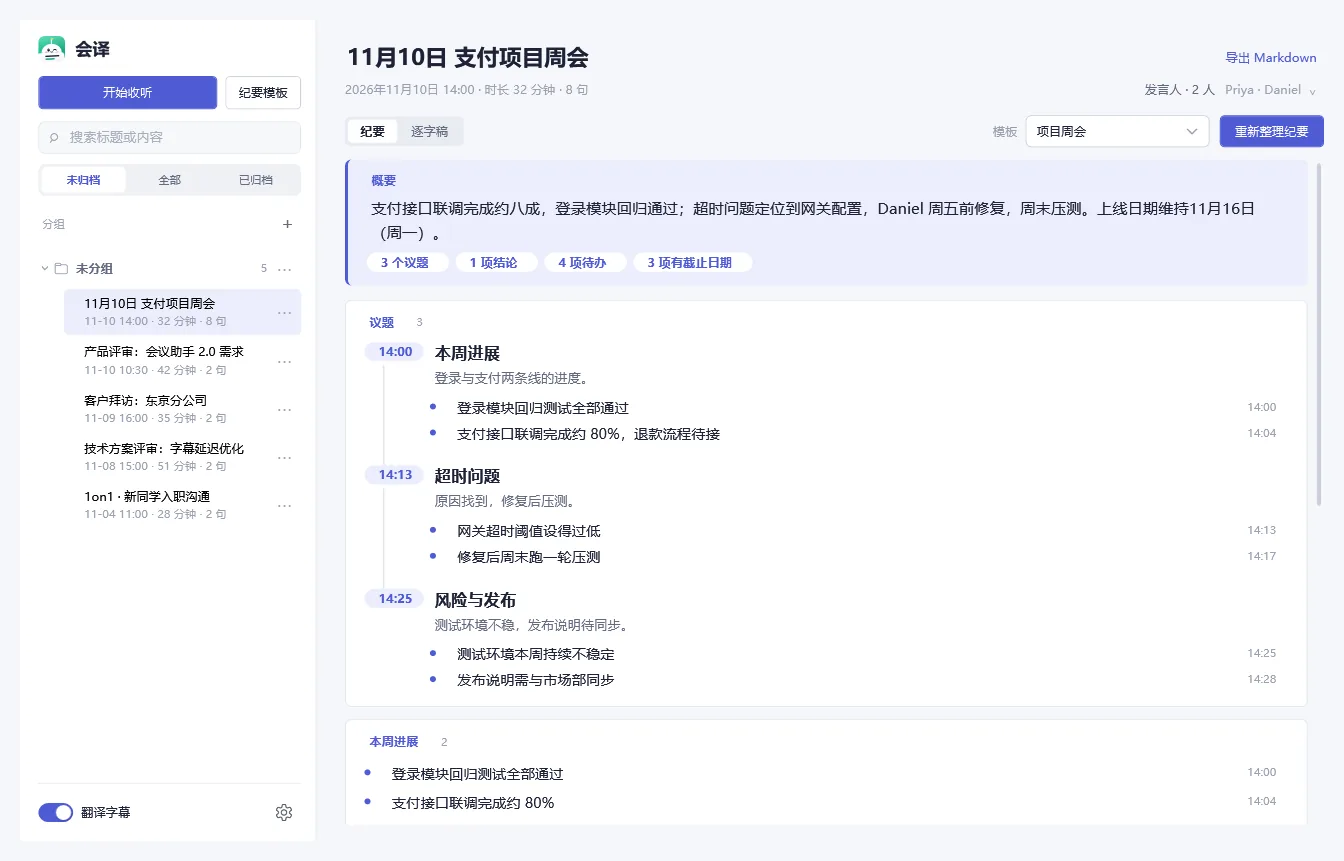
Huiyi is an AI meeting assistant for Windows. It doesn't plug into any meeting app; it simply listens to your system audio and microphone at the same time. You get live captions and translation, speaker separation, and notes with action items as the meeting goes. Hold Right Ctrl and speak Chinese, and it voices your words in the other side's language. Speech recognition and speaker separation run on your PC, and recordings never leave it.
Key features
Live captions and translation
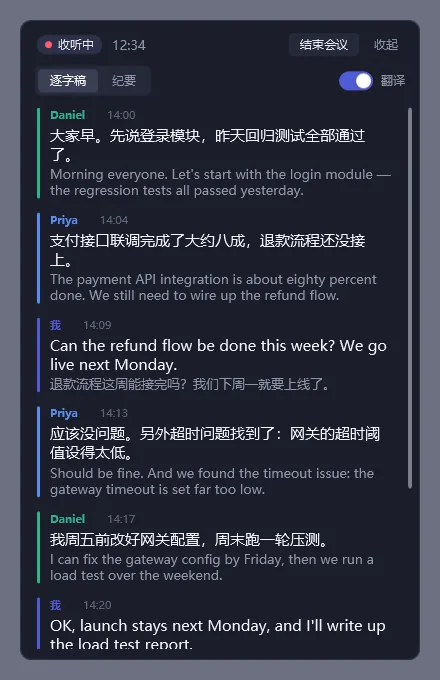
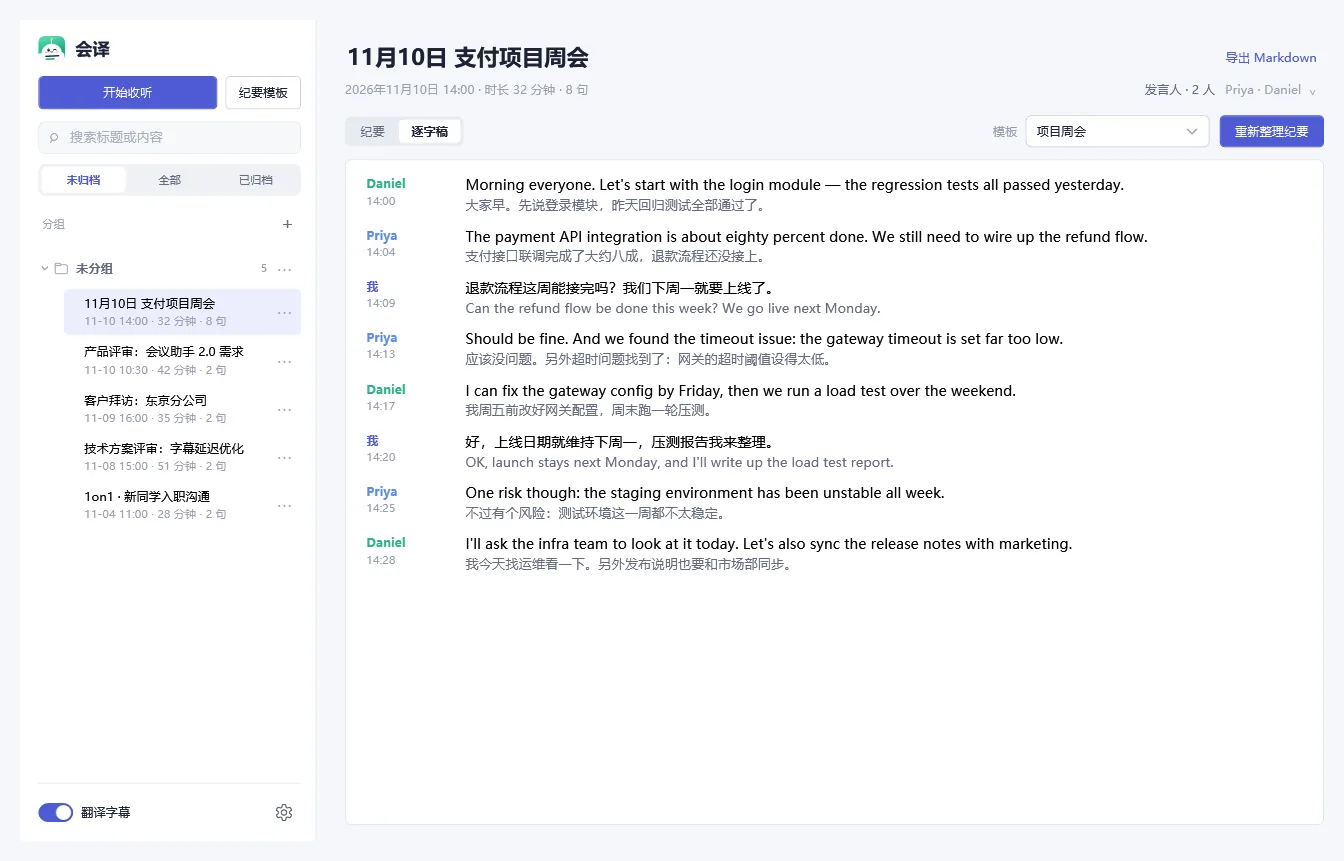
Listens to system audio and mic together, detects Chinese, English, Japanese, Korean and Cantonese, and translates into your language.
Speaker separation
Separates speakers by voice, even when people talk over each other; click a name to rename, or let AI guess it from context.
AI meeting notes
Builds a topic timeline, decisions and to-dos with owners and due dates while you talk, exportable to Word or Markdown.
Note templates
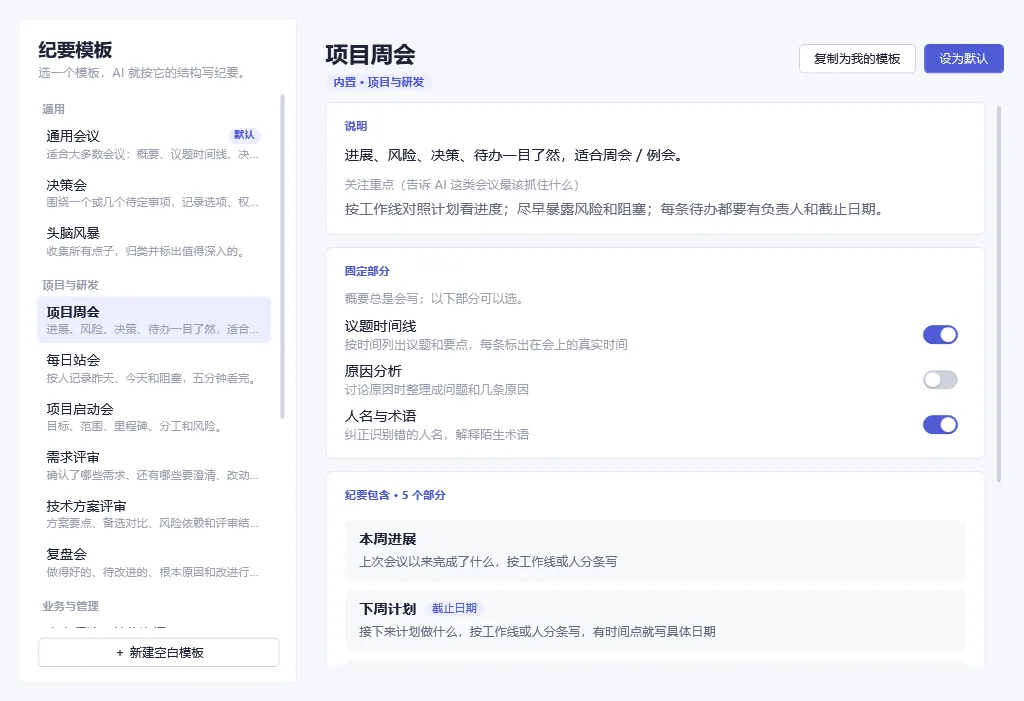
15 built-in templates for weekly syncs, stand-ups, reviews, client visits, interviews and more, plus your own.
Glossary
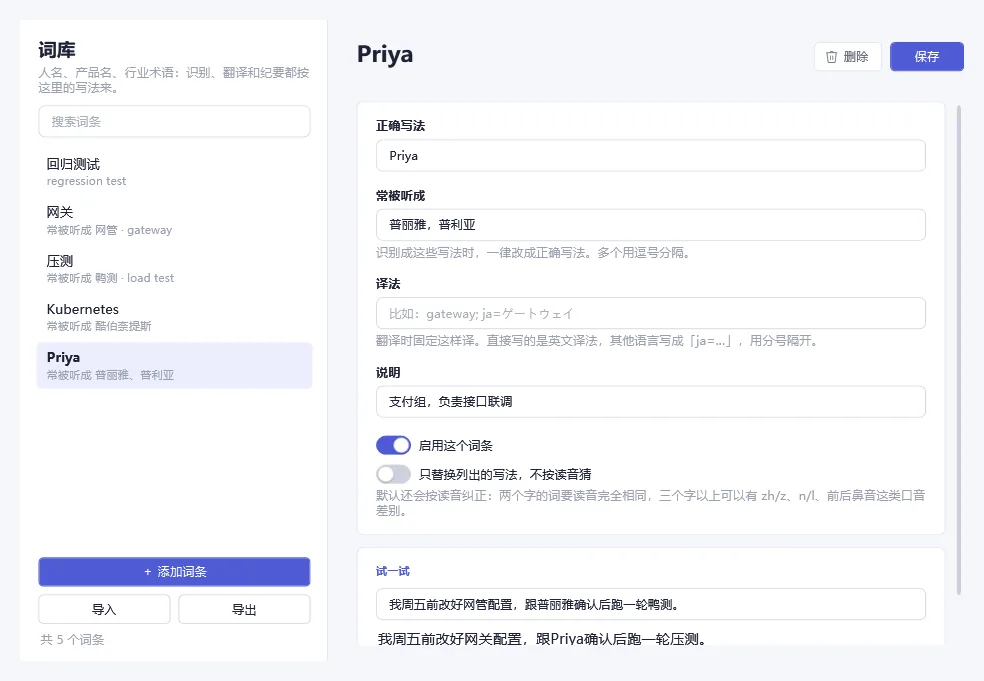
Add names and terms once and they're corrected automatically, with your preferred spelling and translation in notes.
Voice interpretation
Hold Right Ctrl and speak Chinese; on release it's translated and spoken into the meeting through a virtual mic.
Screenshots
Click any image to enlarge

Quick start
- Download HuiYi-Setup.exe and install; no admin rights or separate .NET needed
- On first launch it downloads about 260 MB of local speech models
- Click the tray icon and hit Start Meeting to see captions
- For AI notes, pick a provider and enter your API key under Settings > AI Services
Tech stack
FAQ
What is 会译 Huiyi?
An AI meeting assistant for Windows that listens, notes and speaks. Huiyi is an AI meeting assistant for Windows. It doesn't plug into any meeting app; it simply listens to your system audio and microphone at the same time. You get live captions and translation, speaker separation, and notes with action items as the meeting goes. Hold Right Ctrl and speak Chinese, and it voices your words in the other side's language. Speech recognition and speaker separation run on your PC, and recordings never leave it.
Is 会译 Huiyi open source?
Yes. 会译 Huiyi is open source on GitHub (https://github.com/LingyiChen-AI/huiyi) under the Apache-2.0 license.
How do I get started with 会译 Huiyi?
1. Download HuiYi-Setup.exe and install; no admin rights or separate .NET needed; 2. On first launch it downloads about 260 MB of local speech models; 3. Click the tray icon and hit Start Meeting to see captions; 4. For AI notes, pick a provider and enter your API key under Settings > AI Services
What is 会译 Huiyi built with?
.NET 8, WPF, SenseVoice, Silero, CAM++, yt-dlp.