
Mako
One prompt, a full sticker pack with banner and logo
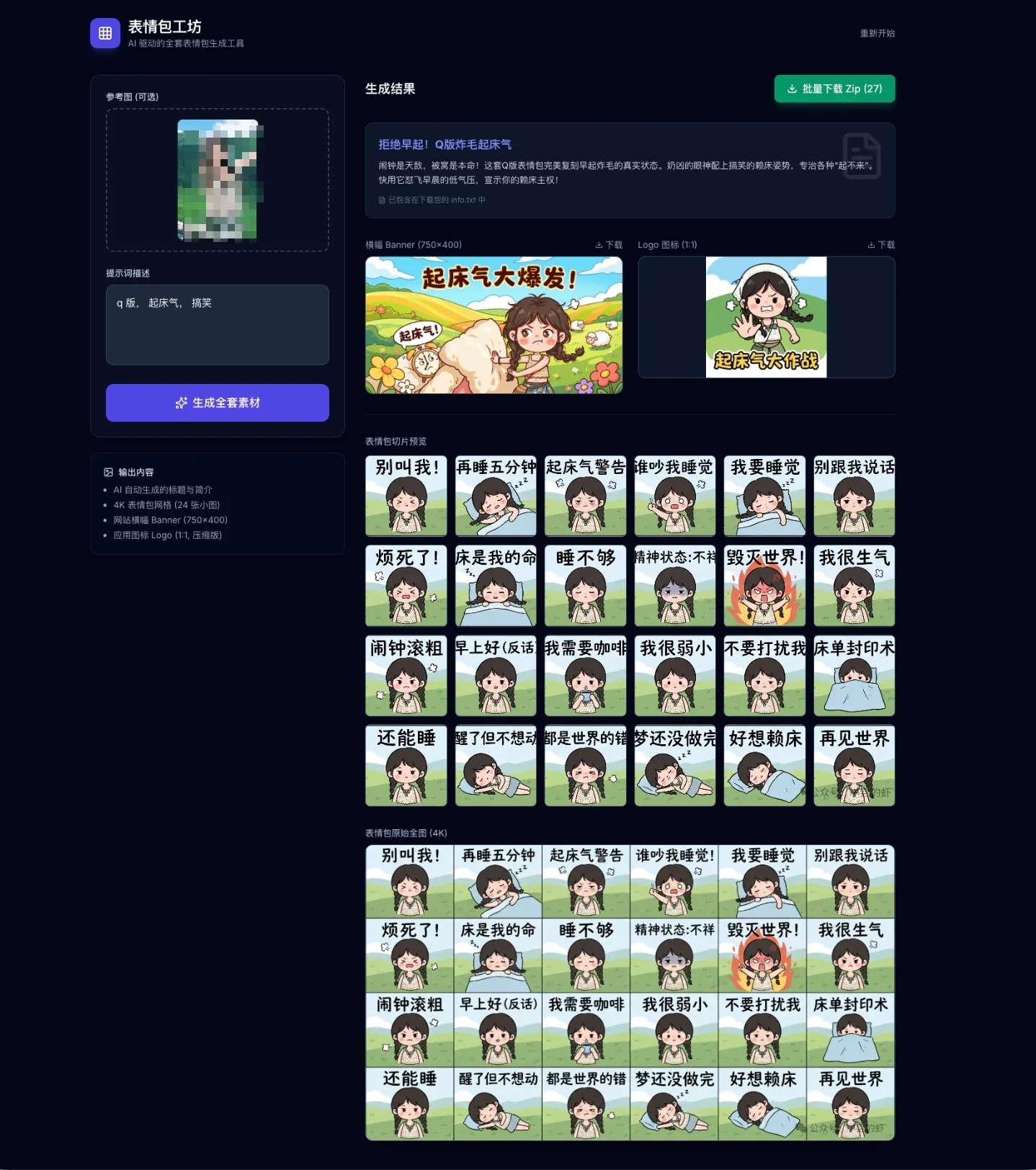
Mako (Meme Workshop) is an AI tool that turns one description into a complete sticker kit. Using Gemini it draws a 4K grid of 24 stickers, plus a web banner, an app icon, and a title with a short blurb. Upload a reference image to set the character or style, then download everything as a ZIP.
Key features
4K sticker grid
Generates a 4K grid of 24 stickers in one go with Gemini.
Banner
Creates a 750×400 web banner automatically.
Logo
Produces a compressed 512×512 app icon.
Auto copy
AI writes the title and description for you.
Reference image
Upload a reference image to guide the character or style.
Batch download
Download every asset as one ZIP.
Screenshots
Click any image to enlarge
Quick start
- Clone the repo and install dependencies (Node.js 18+)
- Put your GEMINI_API_KEY in .env.local
- Start the dev server, enter a prompt and click Generate
git clone https://github.com/LingyiChen-AI/Mako.git
cd Mako
npm install
echo "GEMINI_API_KEY=your_api_key_here" > .env.local
npm run dev
Tech stack
FAQ
What is Mako?
One prompt, a full sticker pack with banner and logo. Mako (Meme Workshop) is an AI tool that turns one description into a complete sticker kit. Using Gemini it draws a 4K grid of 24 stickers, plus a web banner, an app icon, and a title with a short blurb. Upload a reference image to set the character or style, then download everything as a ZIP.
Where can I get Mako?
Everything is public on GitHub: https://github.com/LingyiChen-AI/Mako.
How do I get started with Mako?
1. Clone the repo and install dependencies (Node.js 18+); 2. Put your GEMINI_API_KEY in .env.local; 3. Start the dev server, enter a prompt and click Generate
What is Mako built with?
React 19, TypeScript, Vite 6, Google Gemini API, Lucide React, JSZip, FileSaver.