
Vibe Coding
Building an AI comic platform from scratch with Claude Code
A hands-on record of vibe coding: building the AI Comic Builder platform from scratch with Claude Code. It walks through tech selection, AI-written plans, subagent-driven development, fixing bugs from screenshots, redesigning the UI with a skill and later feature work, with screenshots and prompts at every step plus a list of recommended skills.
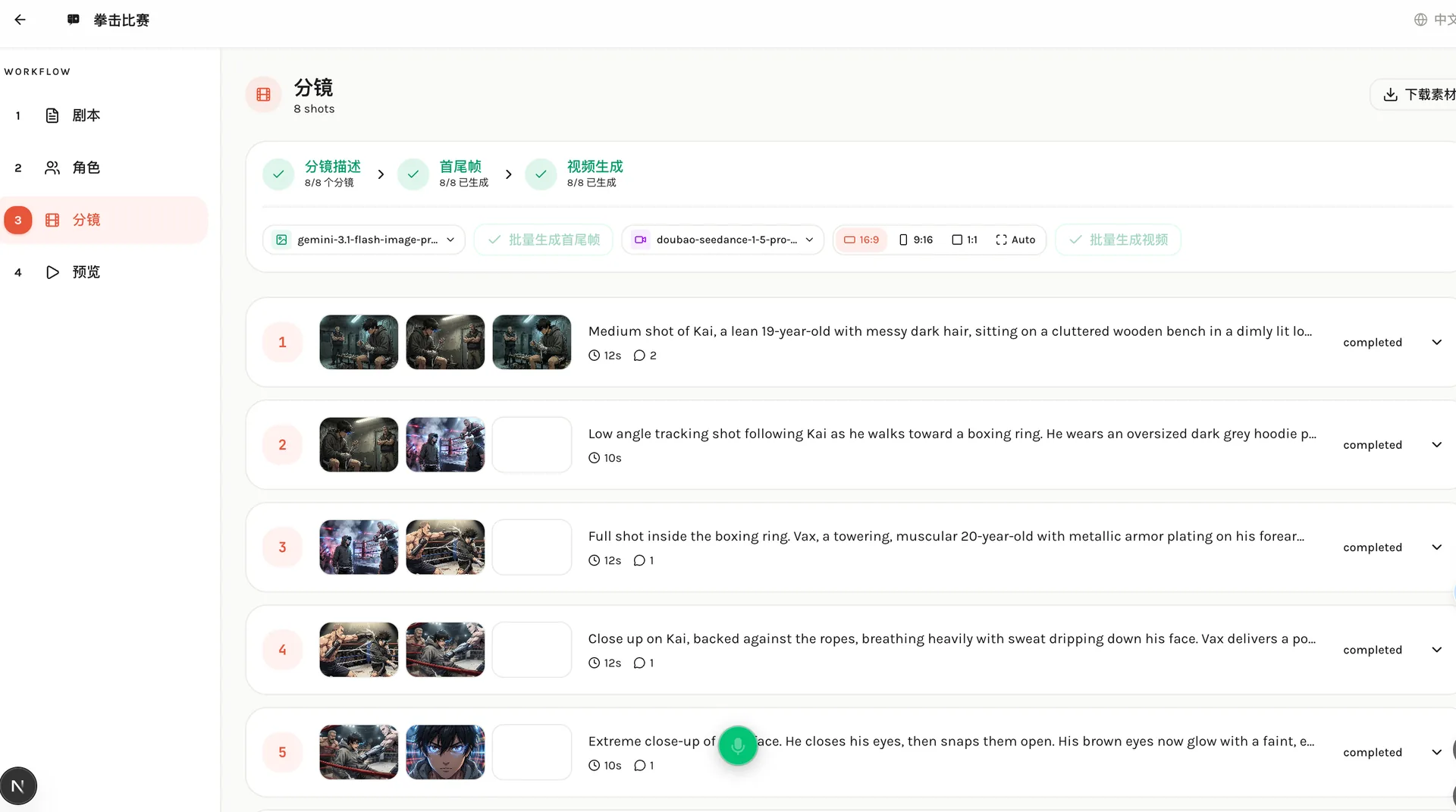
Key features
Tech selection
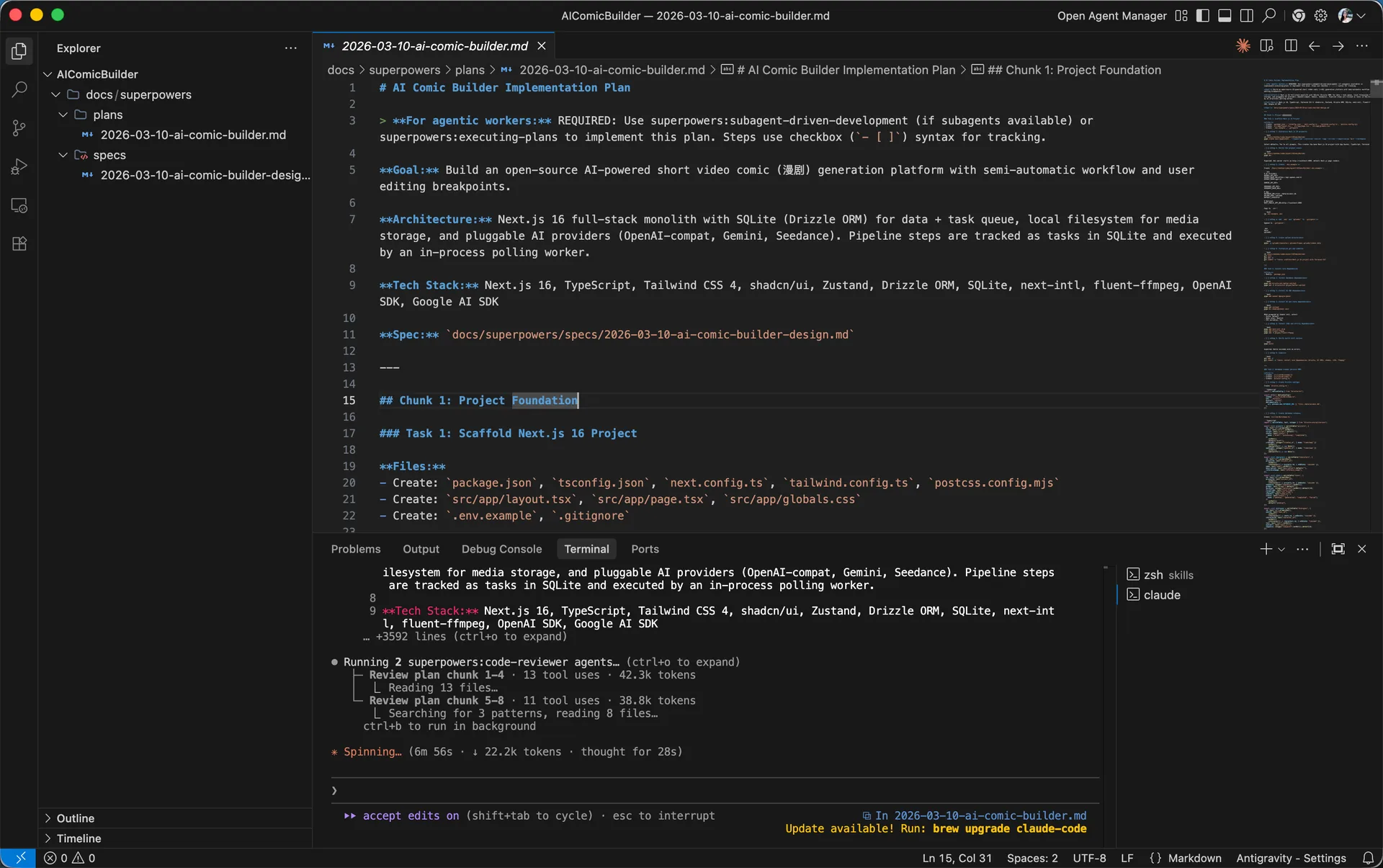
Give a rough direction, let AI write the design doc, and review it before building.
Subagent-driven development
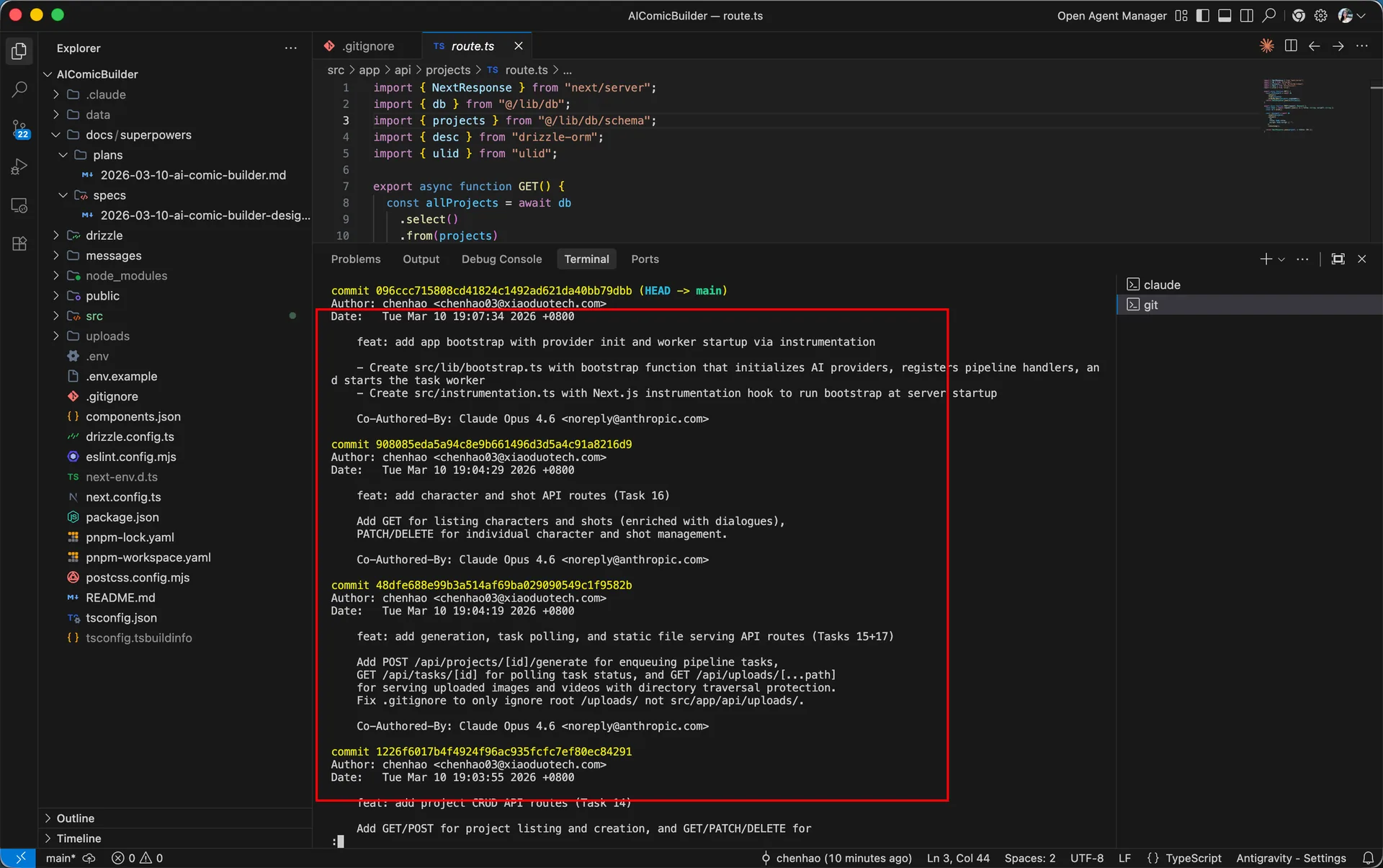
Uses superpowers to write and review a plan, then builds feature by feature with a commit each time; the first version took about 45 minutes.
Fix bugs from screenshots
Send a screenshot of the error to the AI, check the result, give feedback, repeat.
Redesign UI in one line
Redesigns the interface with the ui-ux-pro-max skill over three rounds.
Iterating on features
Documents later iterations like the model settings page, user isolation and Veo support.
Recommended skills
Intros and install commands for nine skills including superpowers, frontend-design, planning-with-files and skill-creator.
Screenshots
Click any image to enlarge
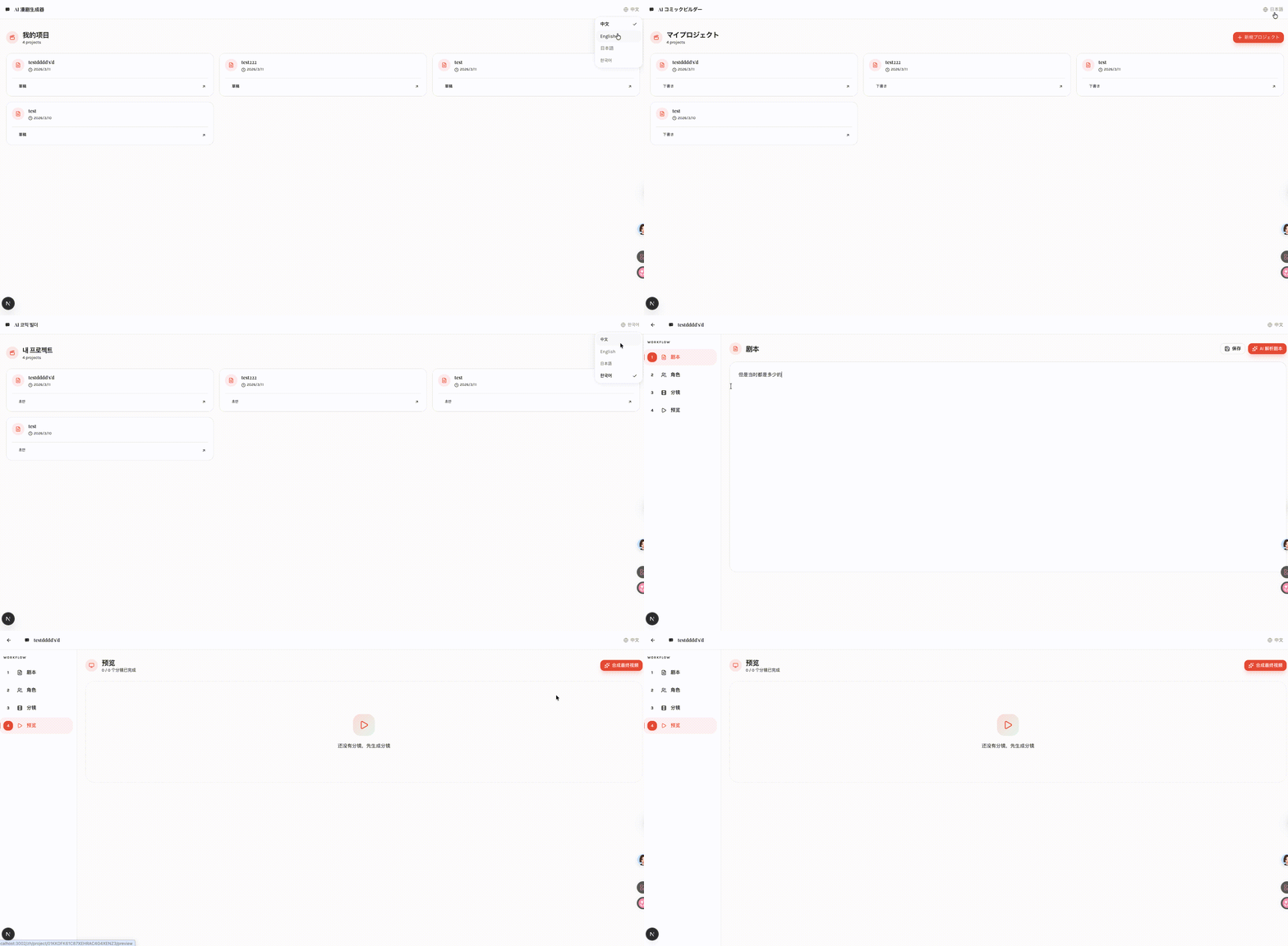

Tech stack
FAQ
What is Vibe Coding?
Building an AI comic platform from scratch with Claude Code. A hands-on record of vibe coding: building the AI Comic Builder platform from scratch with Claude Code. It walks through tech selection, AI-written plans, subagent-driven development, fixing bugs from screenshots, redesigning the UI with a skill and later feature work, with screenshots and prompts at every step plus a list of recommended skills.
Where can I get Vibe Coding?
Everything is public on GitHub: https://github.com/LingyiChen-AI/vibe-coding.
What is Vibe Coding built with?
Claude Code, superpowers, ui-ux-pro-max, Next.js, SQLite.